Troubleshooting
Close CloudLAN App#
- As the CloudLAN app runs as service, app minimizes to taskbar when you click ❌button
- To properly close the app, go to taskbar or system tray & right-click on the icon & 'Quit'
For windows#
🛠 Troubleshooting connection issues#
Check if Re-Installing helps#
When running the installer, try running as Administrator

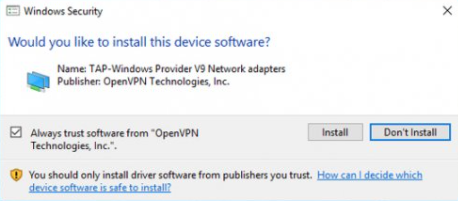
Make sure you have accepted this driver install prompt
Check if TAP adaptor is installed#
On Windows
Windows + R >
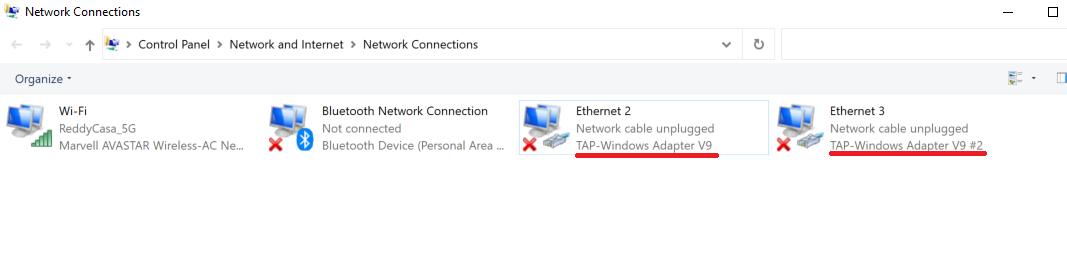
Type ncpa.cpl & click "OK"
Make sure at least 1 TAP-WIndows Adapter is available
If TAP-Windows Adapter is not installed,#
- Download & install OPENVPN GUI client
- Re-Check if the adaptor is installed.
- Now try connecting to CloudLAN
info
Got a question not answered in this knowledge base?
Contact us at [email protected] or "chat with support" from our website or inside the app